
You can now message someone on WhatsApp without using WhatsApp.
Here's how it works and how to get started.
A new EU rule changed messaging
The EU now requires WhatsApp to work with other messaging apps. Just like you can email from Gmail to Outlook, you can now message from one app to another.
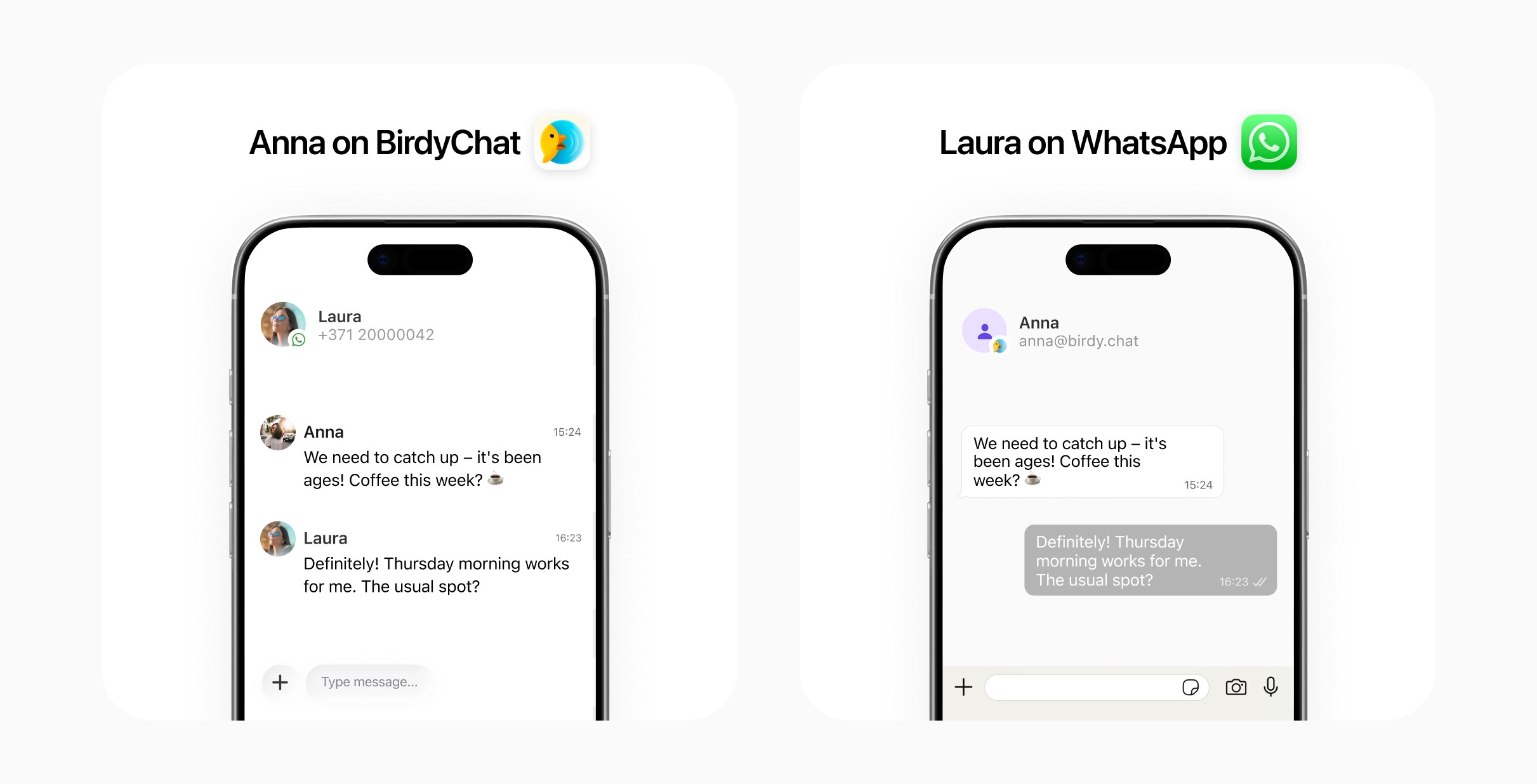
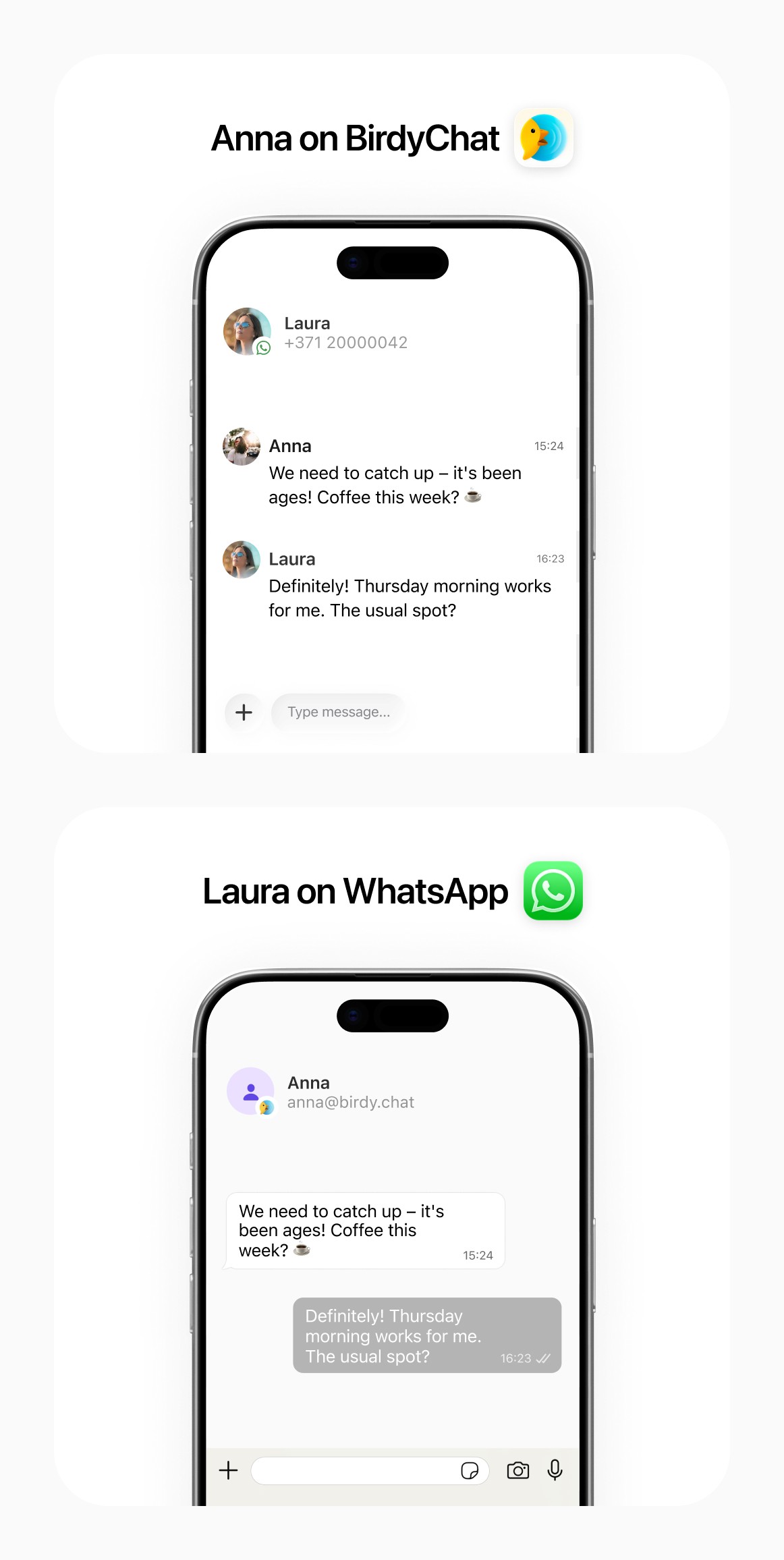
BirdyChat is one of the first apps to do this. Send a message from BirdyChat, it arrives in WhatsApp. They reply, it arrives in BirdyChat. Two apps, one conversation.
How it works
No account linking. BirdyChat and WhatsApp are separate apps. You don't connect or pair them. Enter a phone number, send a message. It arrives in WhatsApp.
End-to-end encrypted. Messages are end-to-end encrypted to the same standard as WhatsApp.
Phone number based. BirdyChat uses work email as your identity, but the connection to WhatsApp works through phone numbers. That's how WhatsApp identifies people.
Get started
Two things need to happen.
1. Enable WhatsApp chats in BirdyChat
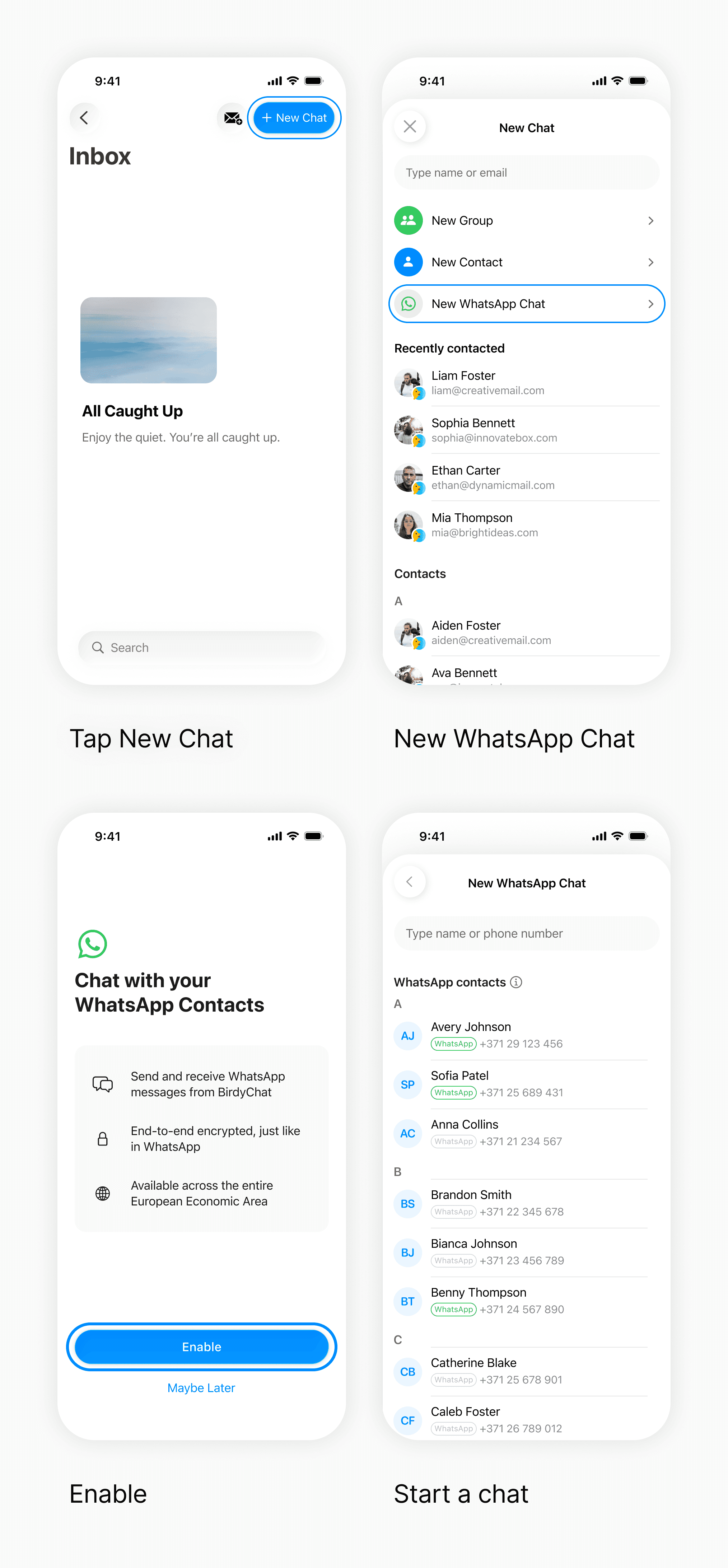
Open BirdyChat, tap New Chat → New WhatsApp Chat, and follow the prompt to turn on WhatsApp messaging. This is a one-time step.
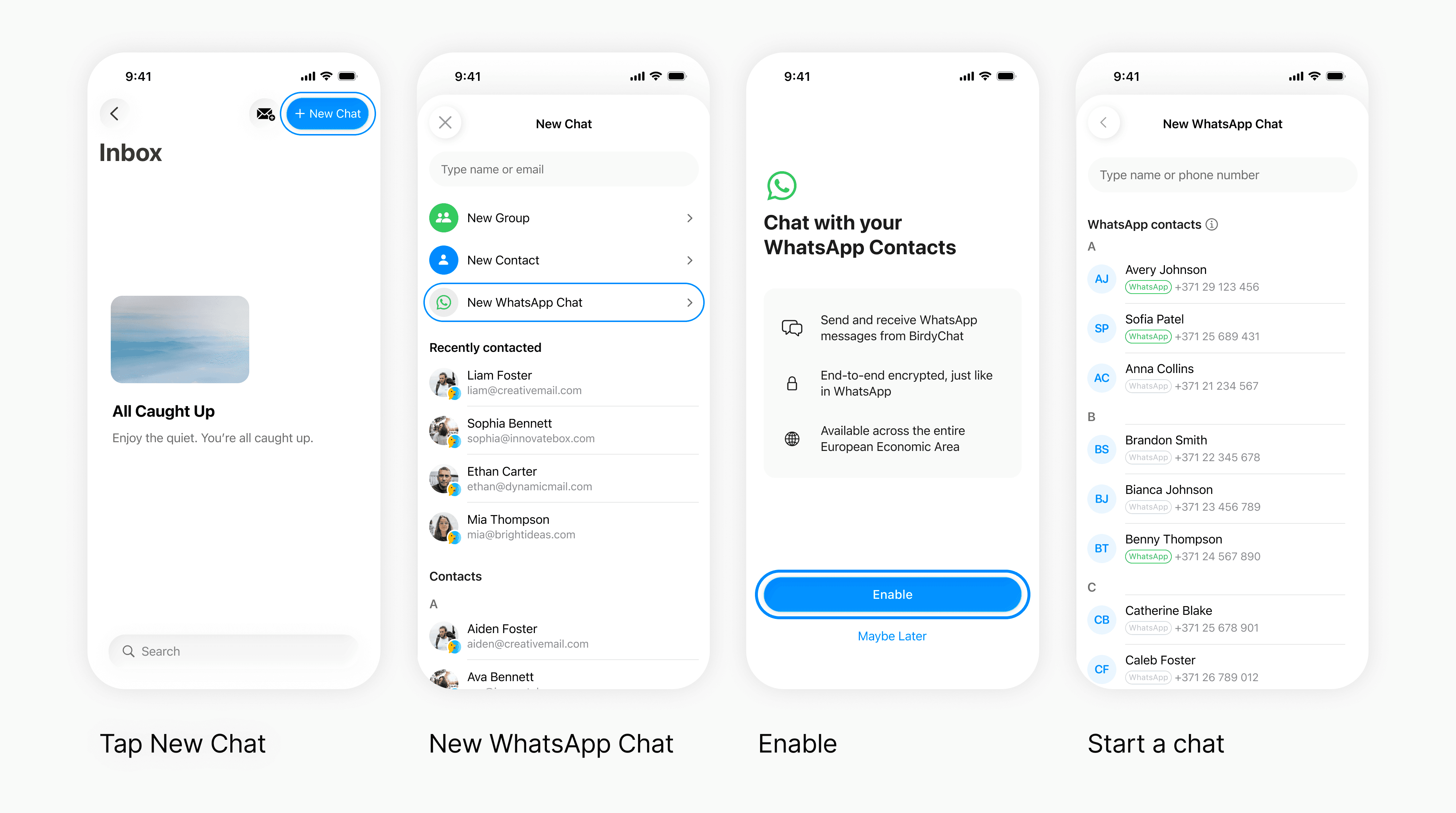
After that, you can start a chat with any WhatsApp contact by selecting them from your phonebook or entering their phone number.
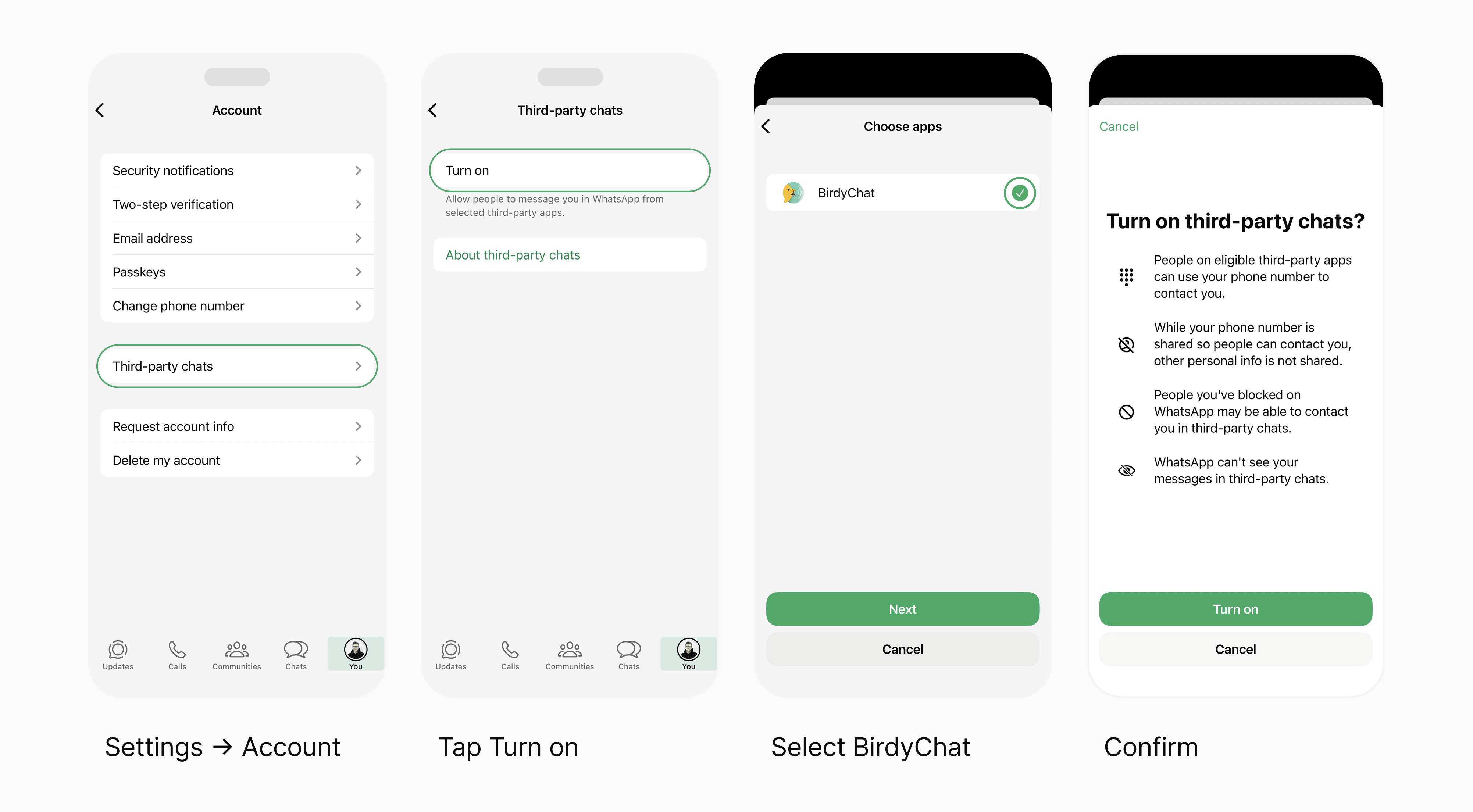
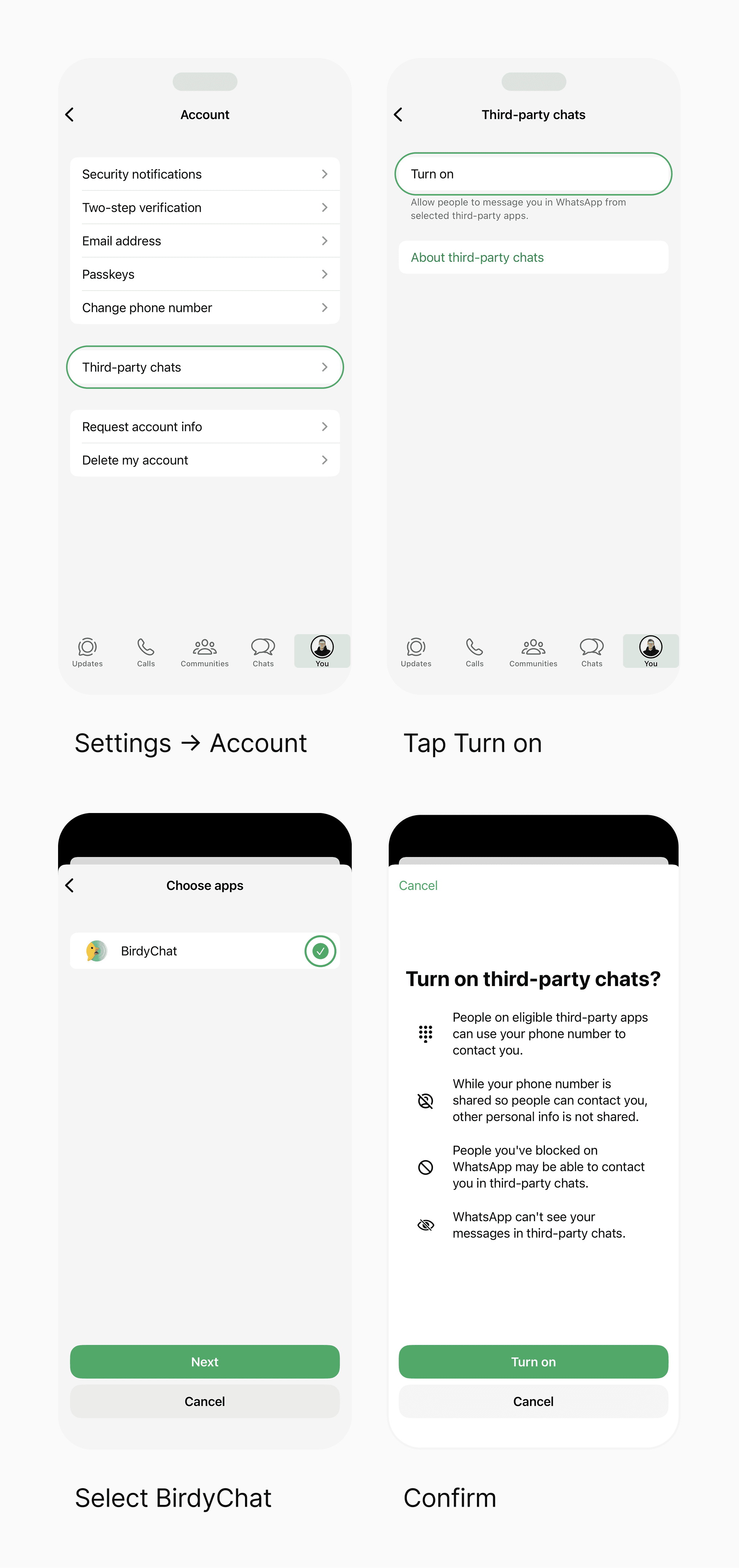
2. Your contact enables Third-party chats in WhatsApp
Your WhatsApp contact needs to turn on one setting:
Open WhatsApp
Go to your Profile
In settings Settings tap Account → Third-party chats
Tap Turn on
Make sure BirdyChat is toggled on
Until they do this, messages from BirdyChat won't reach them.
You can send them birdy.chat/wa for step-by-step instructions.
Tip: BirdyChat lets you send your contact a quick instruction message so they know what to do.
What works today
Text messages, photos, videos, voice messages, reactions, and files. All in 1:1 conversations.
Group chats and calls are coming later.
Availability
The European Economic Area: 27 EU countries plus Iceland, Liechtenstein, and Norway.
Switzerland and the UK aren't part of the EEA and are not covered.
Frequently asked questions
What does the person on WhatsApp see?
They see your email address and your message in their third-party chats section. They don't see your phone number, BirdyChat name, or profile photo. If they haven't enabled Third-party chats yet, BirdyChat shows "Waiting for contact to enable chats."
Can a WhatsApp user message me first?
Yes. Once you're on BirdyChat and they've enabled Third-party chats, either of you can start a conversation.
Why can't I message this WhatsApp number?
Check that you entered the full number with the country code (for example, +371). If the format is right, the number may be outside the supported region — BirdyChat ↔ WhatsApp works in the European Economic Area (the 27 EU countries plus Iceland, Liechtenstein, and Norway). Switzerland and the UK aren't covered.
Which platforms are supported?
iPhone (iOS) and Android. Desktop is not supported yet.
What if my contact doesn't see Third-party chats in WhatsApp?
They should update WhatsApp to the latest version. The feature is rolling out gradually across Europe.
Is it safe?
Yes. Messages are end-to-end encrypted, even across apps.
Can I turn it off?
Yes. You can disable WhatsApp messaging in BirdyChat anytime. Your WhatsApp contact can also turn off Third-party chats in their WhatsApp settings.
Want to try BirdyChat?
A modern work chat that now connects with WhatsApp.